
Google Apps
- Using protocol: SAML
#Google workspace configuration
- Log into
admin.google.comwith administrative privilege user.
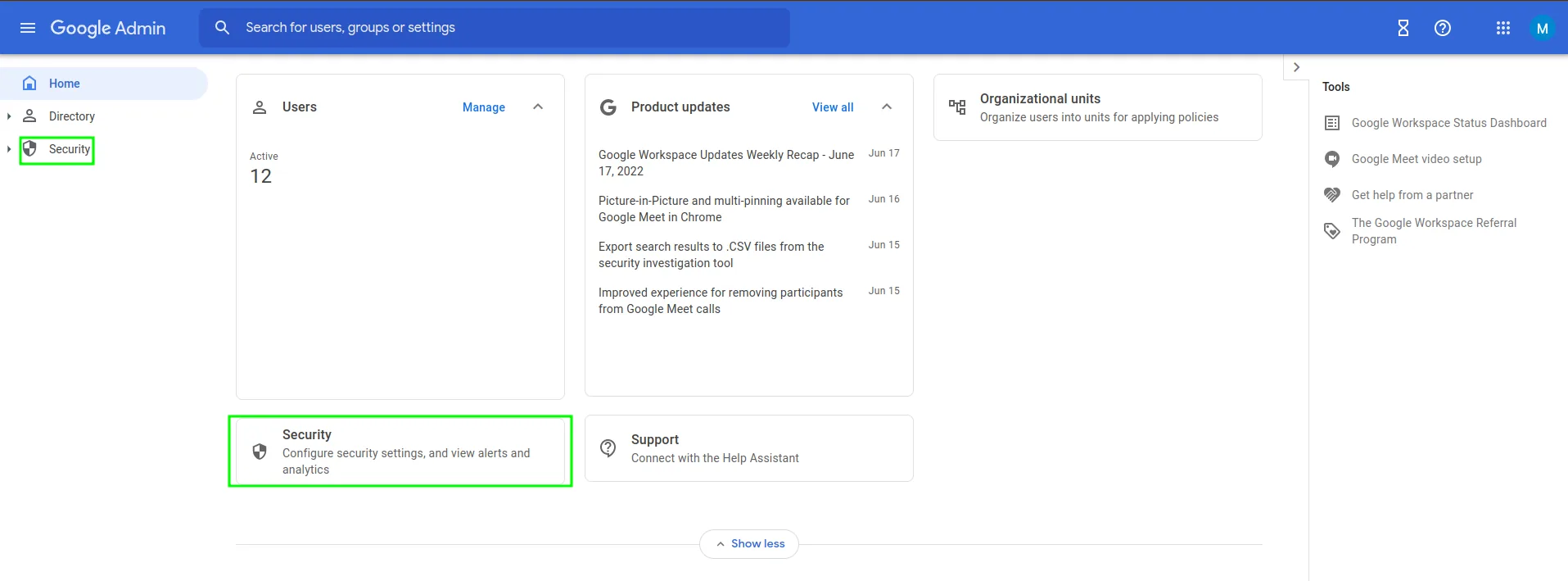
Security>SSO with third party IdP
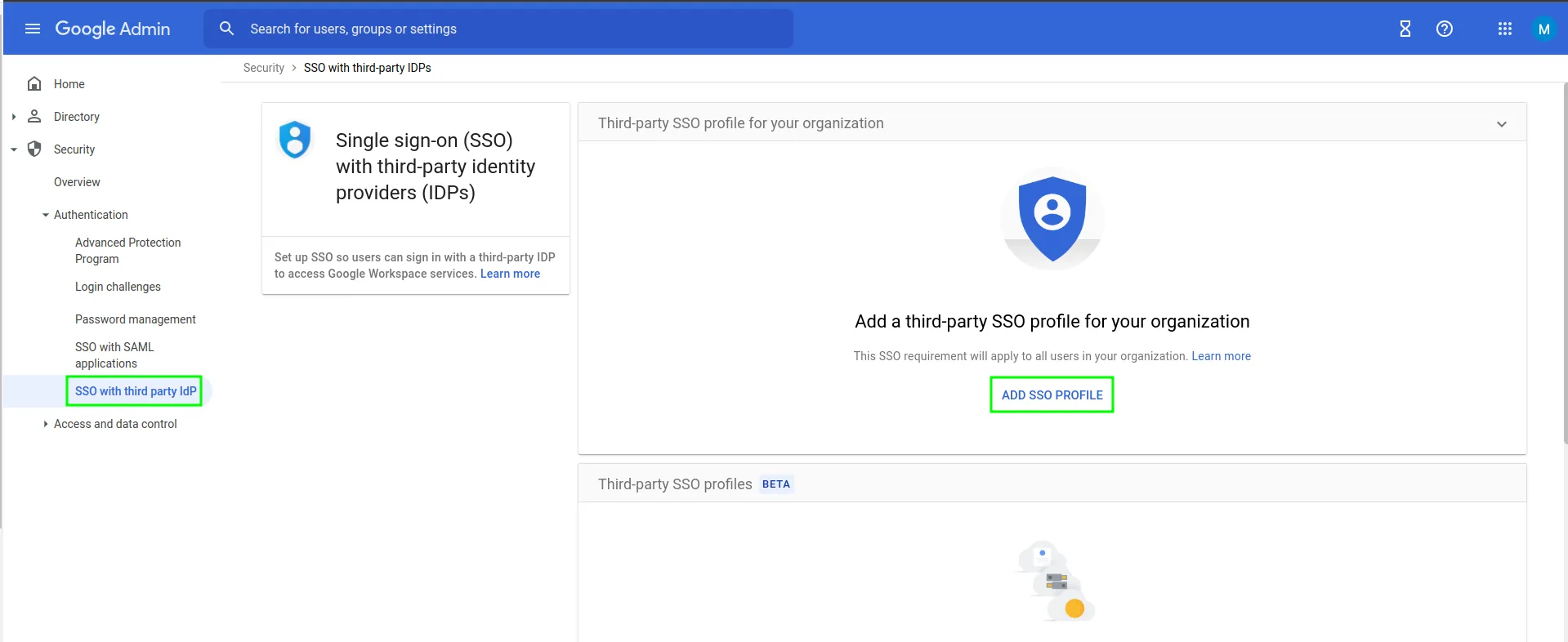
Add SSO ProfileCheck
Set up SSO with third-party identity providerSign-in page URL:
https://[hostname_of_Gluu_Server]/idp/profile/SAML2/Redirect/SSOSign-out page URL:
https://[hostname_of_Gluu_Server/idp/Authn/oxAuth/logoutVerificiation certificate: Log into your Gluu Server and grab
idp-signing.crtfrom~inside_container/etc/certs/. Upload it.
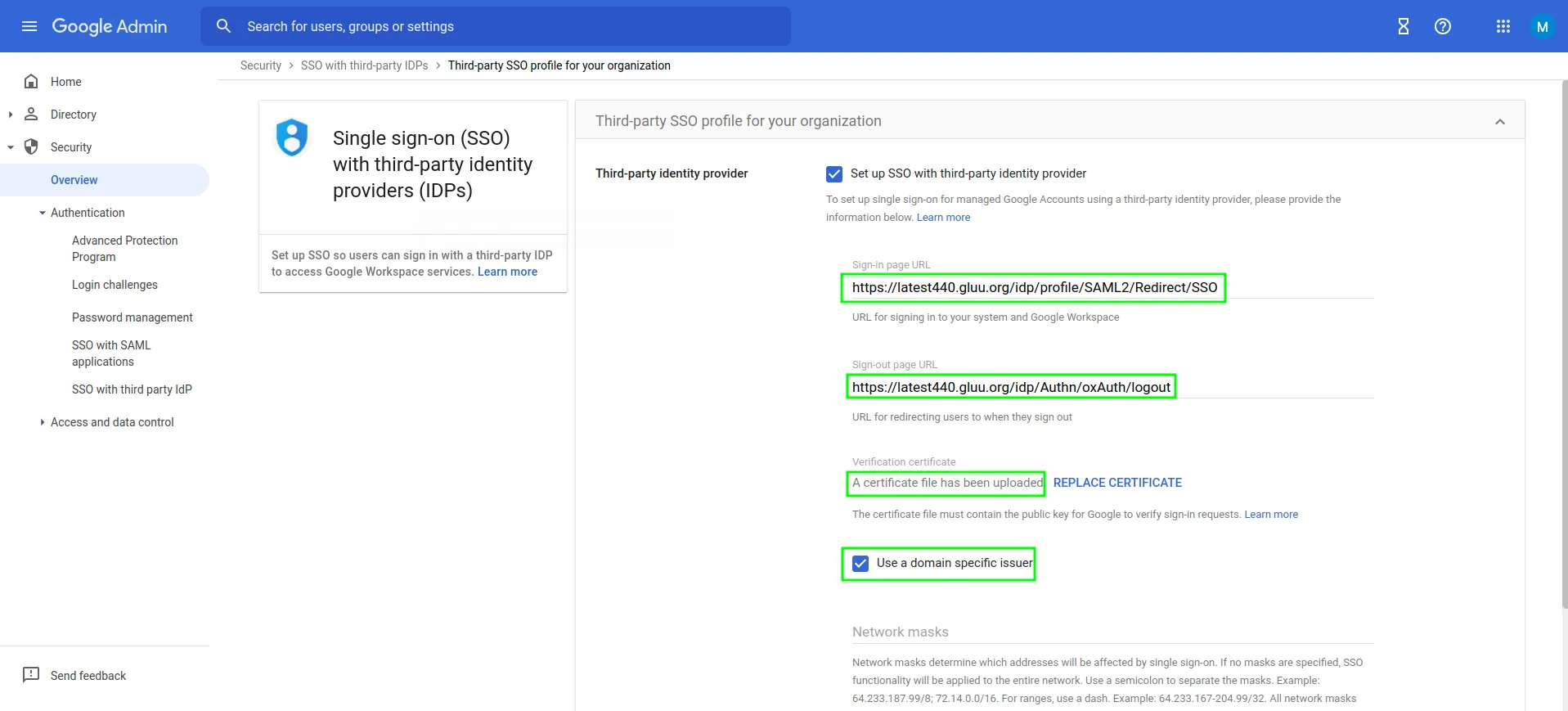
- Save configuration.
#Gluu Server configuration
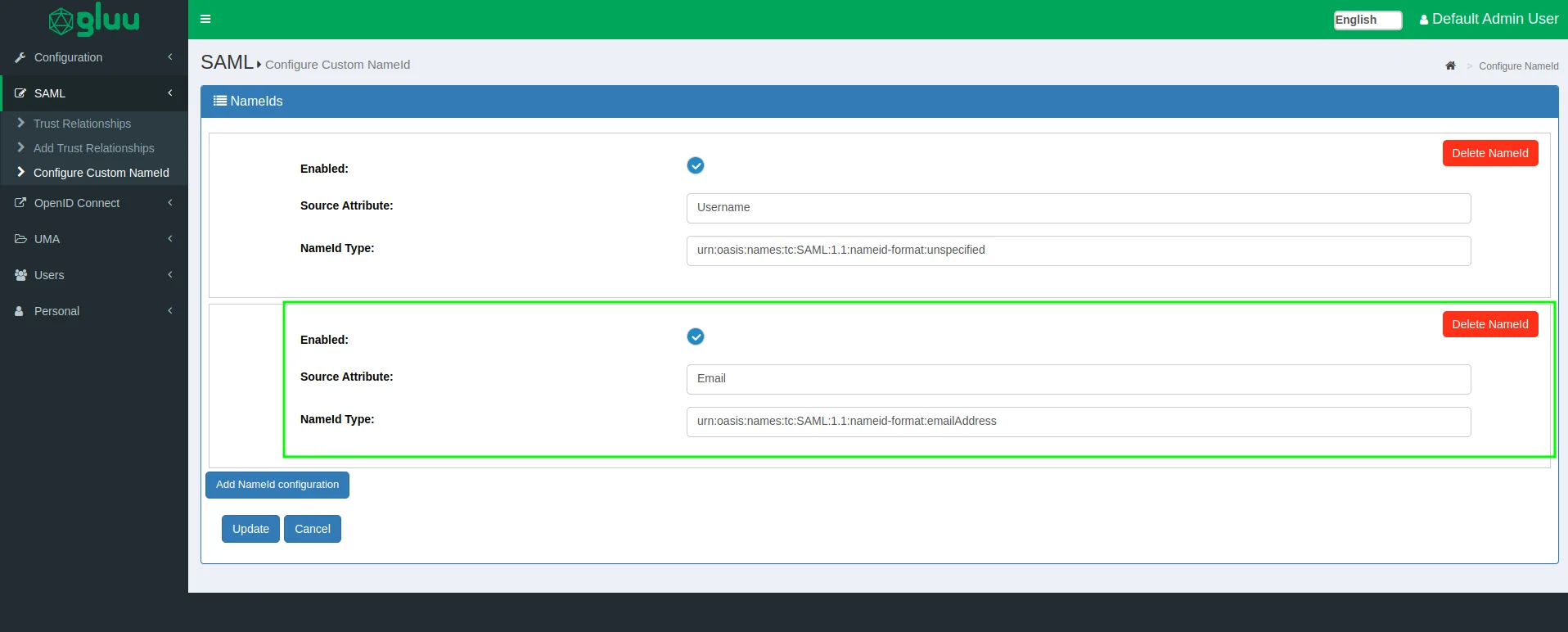
Configure NameID:
Configure a NameID based on
Emailattribute.NameId type would be:
urn:oasis:names:tc:SAML:1.1:nameid-format:emailAddress
Create Trust Relationship:
We need to write a quick metadata for Google workplace which we are going to use in trust relationship.
Metadata is attached below. Deployer need to modify that according to their own DNS entry.
<EntityDescriptor entityID="google.com/a/company.org" xmlns="urn:oasis:names:tc:SAML:2.0:metadata"> <SPSSODescriptor protocolSupportEnumeration="urn:oasis:names:tc:SAML:2.0:protocol"> <NameIDFormat>urn:oasis:names:tc:SAML:1.1:nameid-format:emailAddress</NameIDFormat> <AssertionConsumerService index="1" Binding="urn:oasis:names:tc:SAML:2.0:bindings:HTTP-POST" Location="https://www.google.com/a/company.org/acs" > </AssertionConsumerService> </SPSSODescriptor> </EntityDescriptor>- Create a trust relationship with above metadata and release "Email" attribute.
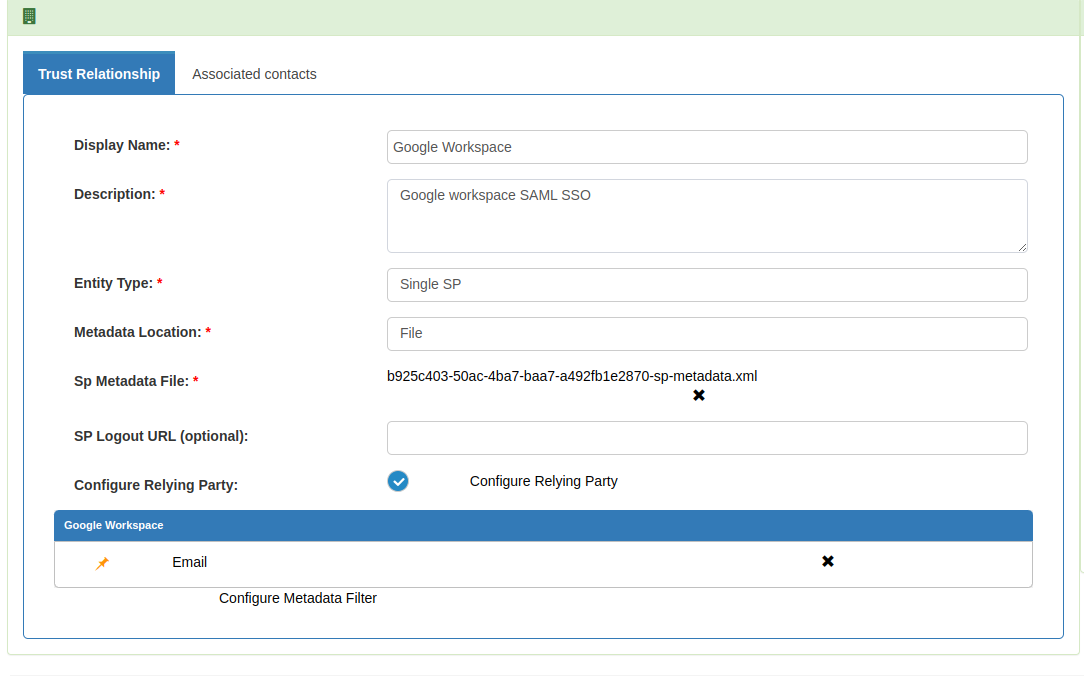
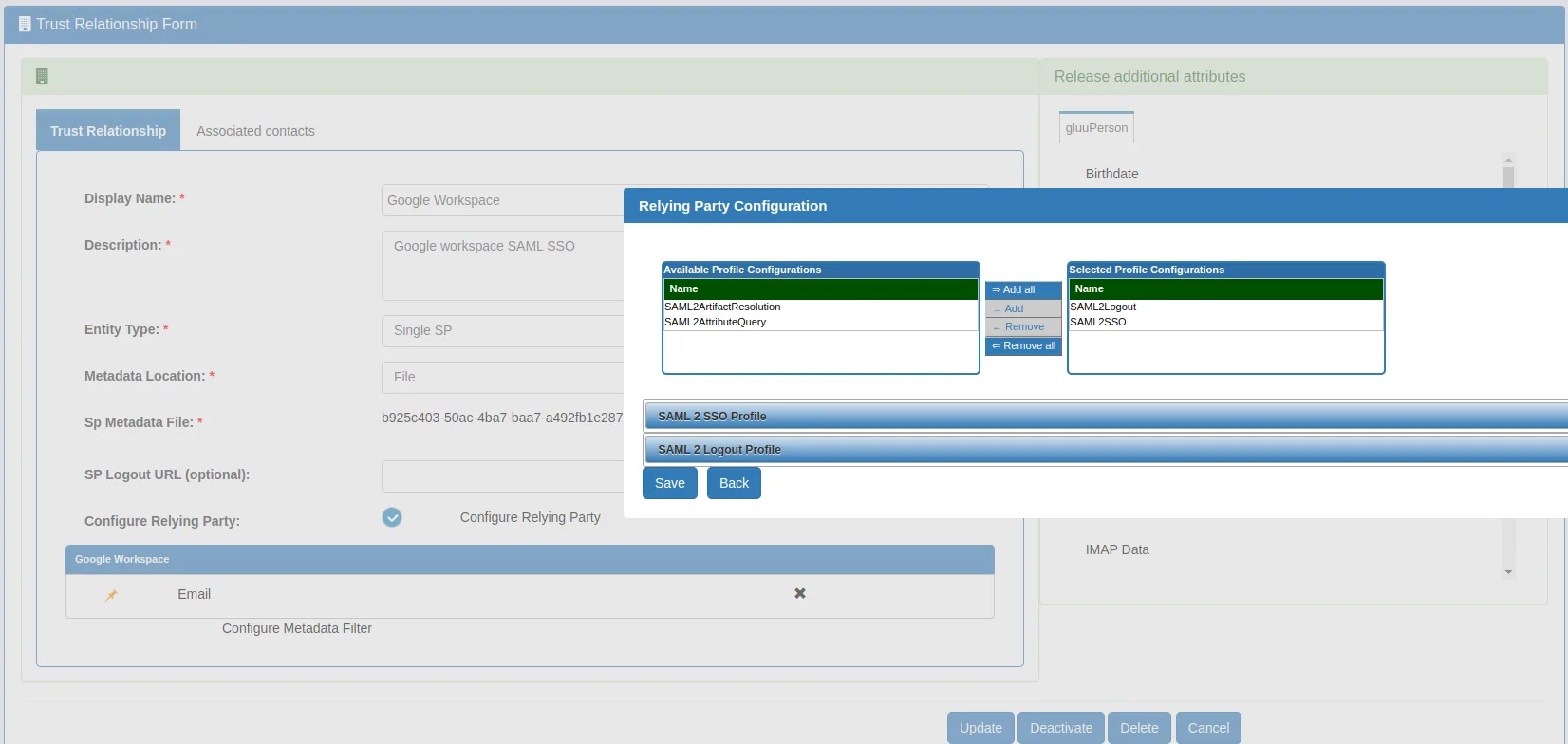
- Create test user who is aligned with your Google Workspace user (for testing purposes). Our test user is 'zico@gluu.org' which is available in both Google and Gluu Server.
#Test
Initiate SSO with docs.google.com/a/gluu.org and it would look as demonstrated in this video.