
FIDO 2.0
#Overview
FIDO 2.0 (FIDO2) is an open authentication standard that enables people to leverage common devices to authenticate to online services in both mobile and desktop environments.
FIDO2 is comprised of the W3C’s Web Authentication specification (WebAuthn) and FIDO’s corresponding Client-to-Authenticator Protocol (CTAP). WebAuthn defines a standard web API that can be built into browsers and related web platform infrastructure to enable online services to use FIDO Authentication. CTAP enables external devices such as mobile handsets or FIDO Security Keys to work with WebAuthn and serve as authenticators to desktop applications and web services.
This document explains how to use the Gluu Server's included FIDO2 interception script to implement a two-step, two-factor authentication (2FA) with username / password as the first step, and any FIDO2 device as the second step.
#Prerequisites
- A Gluu Server (installation instructions);
- FIDO2 interception script (included in the default Gluu Server distribution);
- At least one FIDO2 device for testing, like one of the devices listed below.
- For Linux-based operating systems, a little modification required in udev rule, that is stated below.
#FIDO2 devices
Some well known FIDO2 devices and manufacturers include:
Purchase FIDO2 devices on Amazon. Or, check FIDO's certified products for a comprehensive list of FIDO2 devices (sort by Specification == FIDO2).
#Properties
The script has the following properties
| Property | Description | Example |
|---|---|---|
| fido2_server_uri | URL of the oxAuth FIDO2 server | https://idp.mycompany.com |
#Enable FIDO2 script
Follow the steps below to enable FIDO2 authentication:
Navigate to
Configuration>Person Authentication Scripts.Find the
fido2script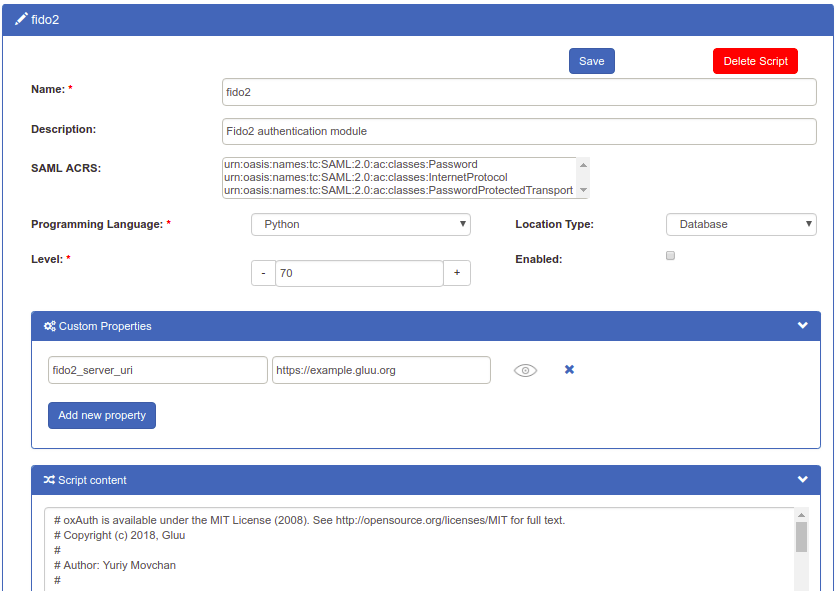
Enable the script by checking the box

Scroll to the bottom of the page and click
Update
Now FIDO2 is an available authentication mechanism for your Gluu Server. This means that, using OpenID Connect acr_values, applications can now request FIDO2 authentication for users.
#Upgrade to MDS3 for Gluu server versions less than 4.4.0
Prior to Gluu 4.4.0, all FIDO2 device attestations were verified against the MDS2 repository that had to be downloaded to Gluu's FIDO2 server using an Access Token by an administrator. MDS2 will be discontinued from October 22. MDS3 has now been implemented in the FIDO2 server, as a result, the MDS3 blob does not require authorization by means of an Access Token and is downloaded and refreshed periodically by the FIDO2 server and does not require any intervention by the administrator.
If you have been running Gluu server versions lesser than 4.4.0, you are required to upgrade the server to reflect the switch to MDS3 using this script .
#Make FIDO2 the Default
If FIDO2 should be the default authentication mechanism, follow these instructions:
Navigate to
Configuration>Manage Authentication.Select the
Default Authentication Methodtab.In the Default Authentication Method window you will see two options:
Default acrandoxTrust acr.
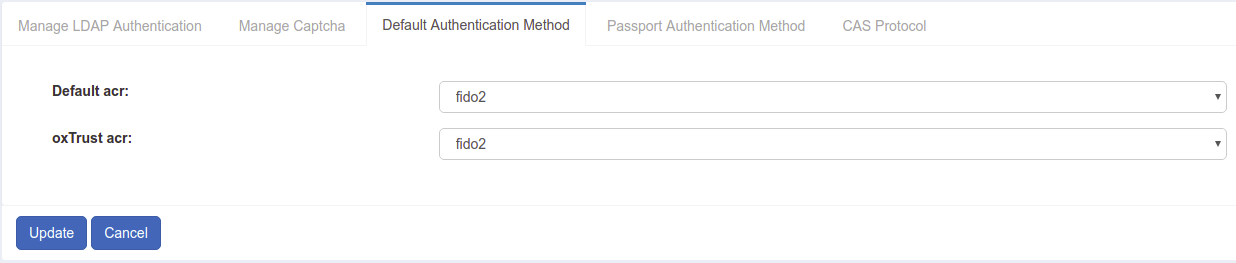
oxTrust acrsets the authentication mechanism for accessing the oxTrust dashboard GUI (only managers should have acccess to oxTrust).Default acrsets the default authentication mechanism for accessing all applications that leverage your Gluu Server for authentication (unless otherwise specified).
If FIDO2 should be the default authentication mechanism for all access, change both fields to fido2.
#FIDO2 login page
Below is an illustration of the Gluu Server's default FIDO2 login page:
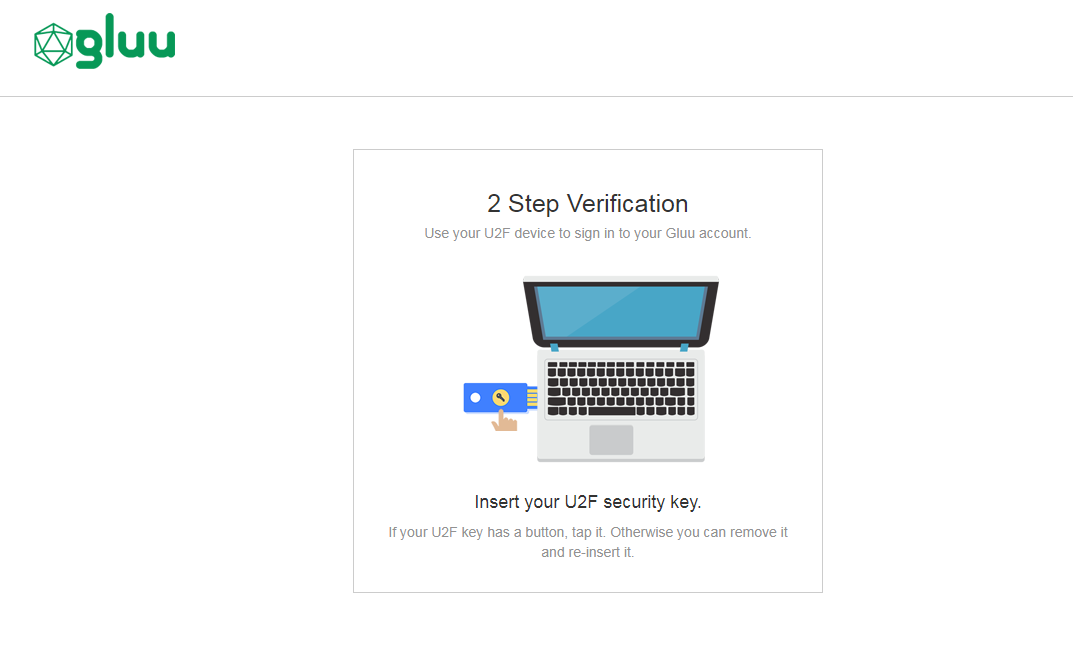
The design is being rendered from the FIDO2 xhtml page. To customize the look and feel of this page, follow the customization guide.
#Using FIDO2 tokens
#Credential enrollment
FIDO2 device enrollment happens during the first authentication attempt.
#Subsequent authentications
All subsequent FIDO2 authentications for that user account will require the enrolled FIDO2 key.
#FIDO2 credential management
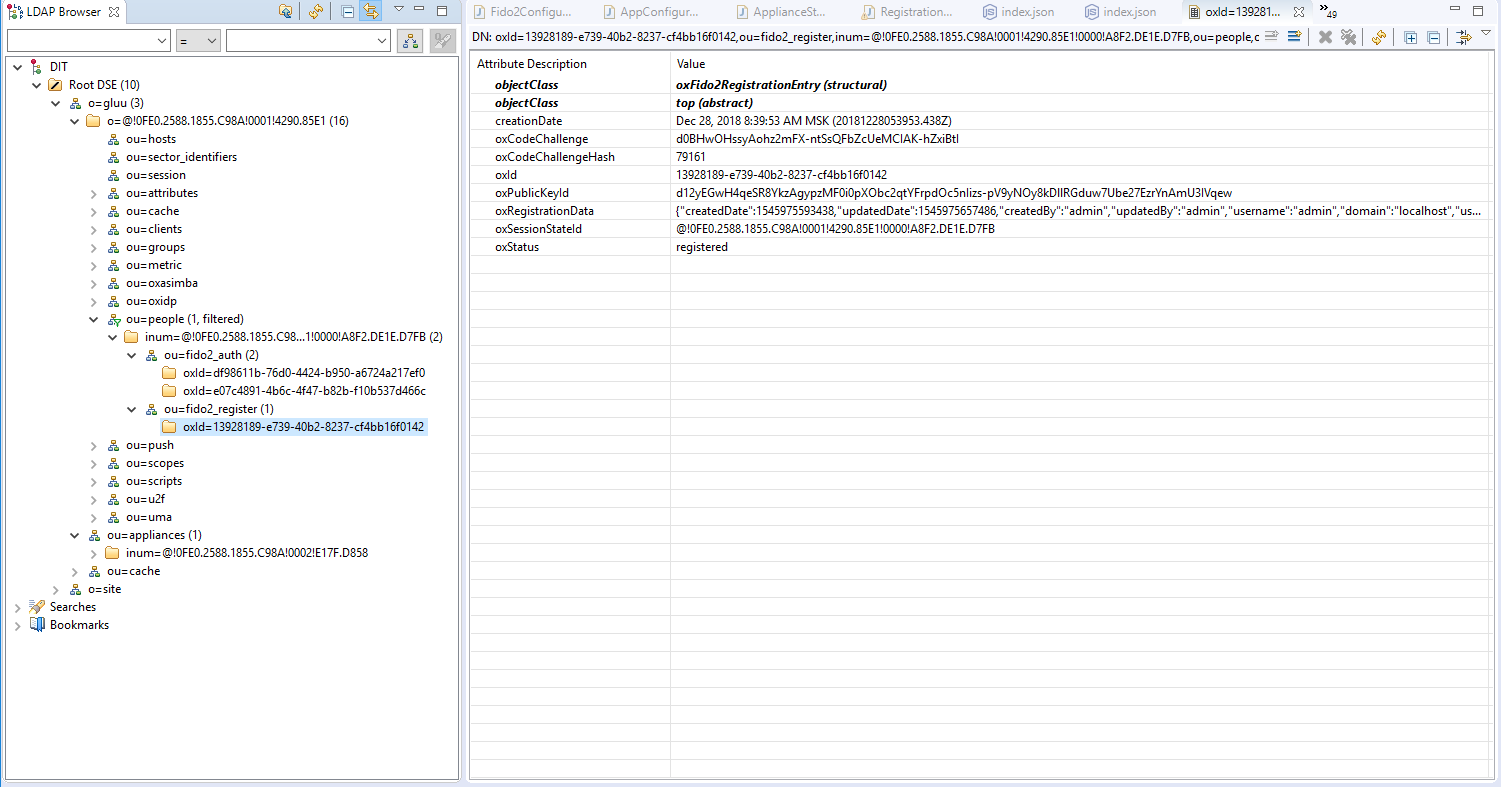
A user's FIDO2 devices can be removed by a Gluu administrator in LDAP under the user entry as shown in the below screenshot.
#FIDO2 discovery endpoint
A discovery document for FIDO2 is published by the Gluu Server at: https://<hostname>/.well-known/fido2-configuration This document specifies the URL of the registration and authentication endpoints.
#FIDO2 in Linux
Older versions of Linux may require a rules file to be backwards compatible with Hypersecu devices. From your terminal run the below commands and reboot your computer.
sudo curl https://hypersecu.com/downloads/files/configurations/70-u2f.rules > /etc/udev/rules.d/70-u2f.ruleschmod +x /etc/udev/rules.d/70-u2f.rules