
SMS OTP (SMPP)
#Overview
SMS is a common technology used for the delivery of OTPs. Text messages provide a ubiquitous communication channel, and are directly available in nearly all mobile handsets and, through text-to-speech conversion, any mobile or landline telephone.
This document explains how to configure the Gluu Server for two-step, two-factor authentication (2FA) with username / password as the first step, and an OTP sent via text message as the second step.
#Prerequisites
- A Gluu Server (installation instructions here);
- The SMPP SMS OTP script (included in the default Gluu Server distribution);
- An SMPP server
- The SMPP jar library added to oxAuth
- A mobile device and phone number that can receive SMS text messages
#Add SMPP library to oxAuth
Copy the SMPP jar file to the following oxAuth folder inside the Gluu Server chroot:
/opt/gluu/jetty/oxauth/custom/libsEdit
/opt/gluu/jetty/oxauth/webapps/oxauth.xmland add the following line:<Set name="extraClasspath">/opt/gluu/jetty/oxauth/custom/libs/jsmpp-2.3.7.jar</Set>Restart the
oxauthservice
#Properties
The custom script has the following properties:
| Property | Description |
|---|---|
| smpp_server | SMPP server |
| smpp_port | Server port |
| system_id | SMPP system_id |
| password | SMPP password |
| source_addr_ton | Source type of number |
| source_addr | From number / name |
#Enable SMS OTP
Follow the steps below to enable SMS OTP authentication:
Navigate to
Configuration>Person Authentication ScriptsFind the
smppscript.Populate the properties table with the details from your setup:
smpp_server: IP or FQDN of your SMPP server.smpp_port: TCP port of SMPP server.system_id: SMPP system_id in case authentication is required.password: Password in case authentication is required.source_addr_ton: Type of number (default: ALPHANUMERIC). See https://jar-download.com/javaDoc/org.jsmpp/jsmpp/2.3.2/org/jsmpp/bean/TypeOfNumber.html- source_addr: From number / name, allowed values depends on
source_addr_ton. dest_addr_ton: Type of number (default: INTERNATIONAL).dest_addr_npi: Numbering plan indicator (default: ISDN). See https://jar-download.com/javaDoc/org.jsmpp/jsmpp/2.3.2/org/jsmpp/bean/NumberingPlanIndicator.html
Enable the script by checking the box
Scroll to the bottom of the page and click
Update
Now SMS OTP is an available authentication mechanism for your Gluu Server. This means that, using OpenID Connect acr_values, applications can now request OTP SMS authentication for users.
#Make SMS OTP the Default
If SMS OTP should be the default authentication mechanism, follow these instructions:
Navigate to
Configuration>Manage Authentication.Select the
Default Authentication Methodtab.In the Default Authentication Method window you will see two options:
Default acrandoxTrust acr.
oxTrust acrsets the authentication mechanism for accessing the oxTrust dashboard GUI (only managers should have acccess to oxTrust).Default acrsets the default authentication mechanism for accessing all applications that leverage your Gluu Server for authentication (unless otherwise specified).
If SMS OTP should be the default authentication mechanism for all access, change both fields to smpp.
#SMS OTP Login Pages
The Gluu Server includes one page for SMS OTP:
- A login page that is displayed for all SMS OTP authentications.
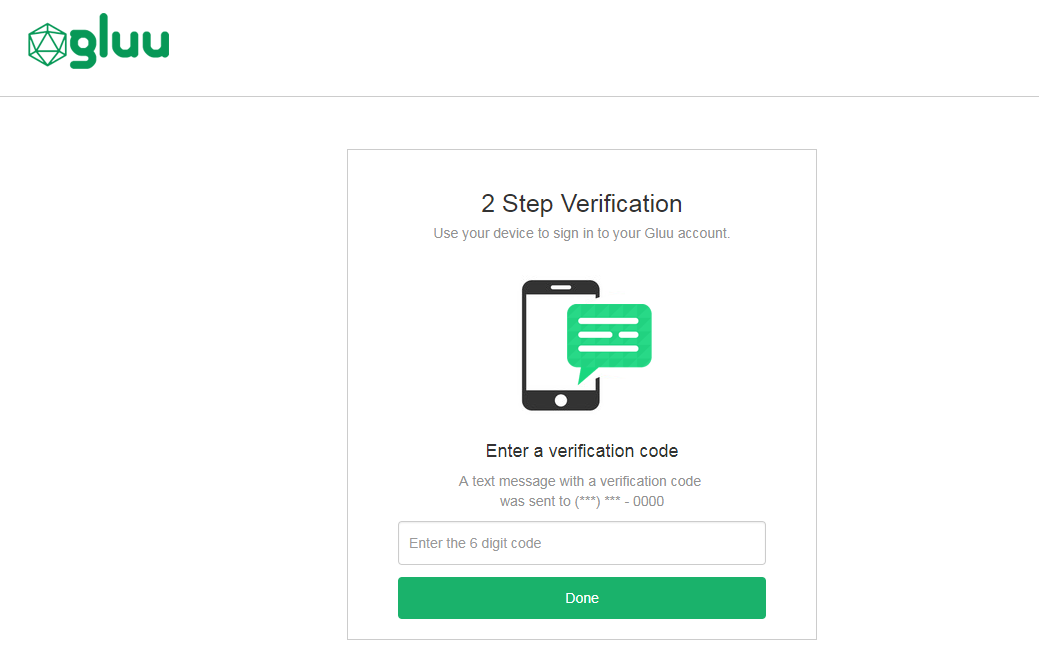
The designs are being rendered from the SMS xhtml page. To customize the look and feel of the pages, follow the customization guide.
#Using SMS OTP
#Phone Number Enrollment
The script assumes the user phone number is already stored in his corresponding LDAP entry (attribute phoneNumberVerified). You can change the attribute by altering the script directly (see authenticate routine).
#Subsequent Logins
All authentications will trigger an SMS with an OTP to the registered phone number. Enter the OTP to pass authentication.
#Credential Management
A user's registered phone number can be removed by a Gluu administrator either via the oxTrust UI in Users > Manage People, or in LDAP under the user entry. Once the phone number has been removed from the user's account, the user can re-enroll a new phone number following the phone number enrollment instructions above.
#Troubleshooting
If problems are encountered, take a look at the logs, specifically /opt/gluu/jetty/oxauth/logs/oxauth_script.log. Inspect all messages related to SMPP. For instance, the following messages show an example of correct script initialization:
SMPP Initialization
SMPP Initialized successfullyAlso make sure you are using the latest version of the script that can be found here.
#Self-service account security
To offer end-users a portal where they can manage their own account security preferences, including two-factor authentication credentials like phone numbers for SMS OTP, check out our new app, Gluu Casa.