
GitHub Enterprise
#Configuration in Gluu Server
#Metadata from Github Enterprise
- Grab the metadata from
http(s)://[hostname]/saml/metadatalocation. Yourhostnameis provided upon acquiring your Github Enterprise license. - Remove
validUntil="20xx-xx-xxTyy:57:26Zsection from Github metadata. - Save it as
github_metadata.xml.
#Create Trust Relationship
- Log into your Gluu Server UI
- Navigate to
SAML>Trust RelationshipAdd Relationship- Display Name: Github Enterprise
- Description: File method / External SP / SP-initiated SSO
- Metadata Type: File
- SP metadata file: Upload
github_metadata.xml - Configure Relying Party: Yes, SAML2SSO
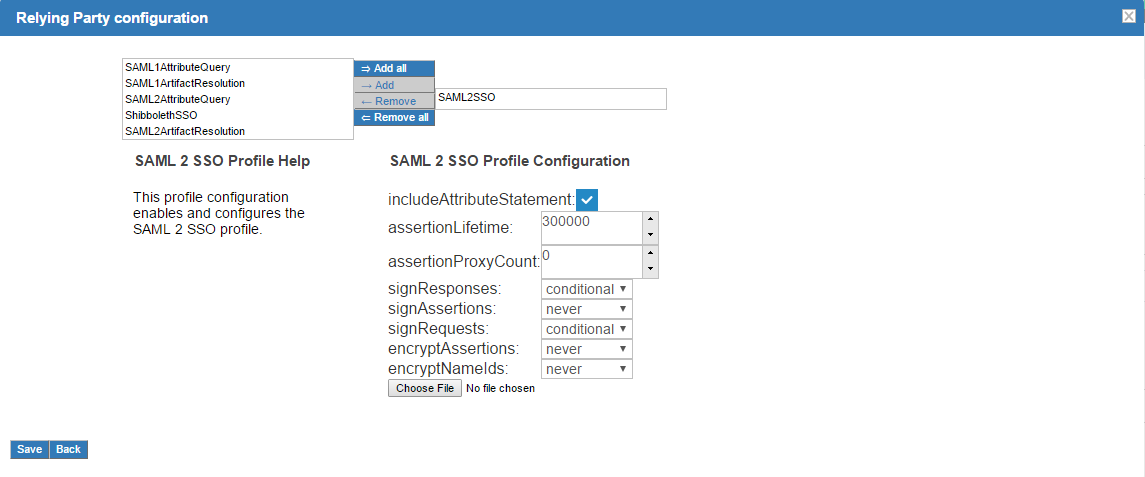
- Released Attribute: Username
Add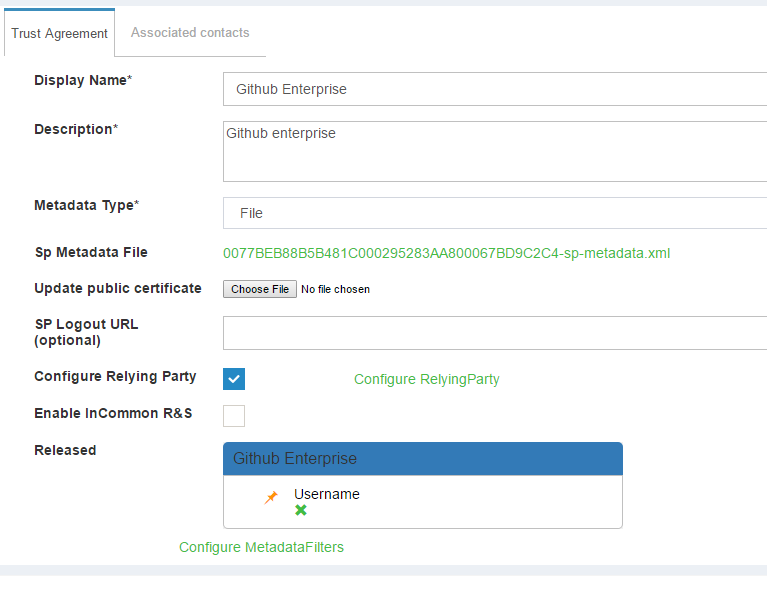
#Configuration in Github Enterprise
- Log into Github Enterprise management console. It should be
https://[hostname]:8443/setup/settings - Click on
Authentication- Select
SAML - IdP Initiated SSO: unchecked
- Disable administrator demotion/promotion: unchecked
- Signle sign-on URL: https://[hostname_of_Gluu_server]/idp/profile/SAML2/Redirect/SSO
- Issuer: https://[hostname_of_Gluu_server]/idp/shibboleth
- Signature Method: RSA-SHA256
- Digest Method: SHA256
- Name Identifier Format: unspecified
- Replace Certificate: Get Shibboleth cert named
shibIDP.crtfrom Gluu Server. Location:inside_container/etc/certs/And upload this certifiate here - User attributes:
- Username: uid
- Full name: full_name
- Email(s): emails
- SSH keys: public_keys
- GPG keys: gpg_keys
- Select
Save Settings- Two sample setup from Github Enterprise Management panel:
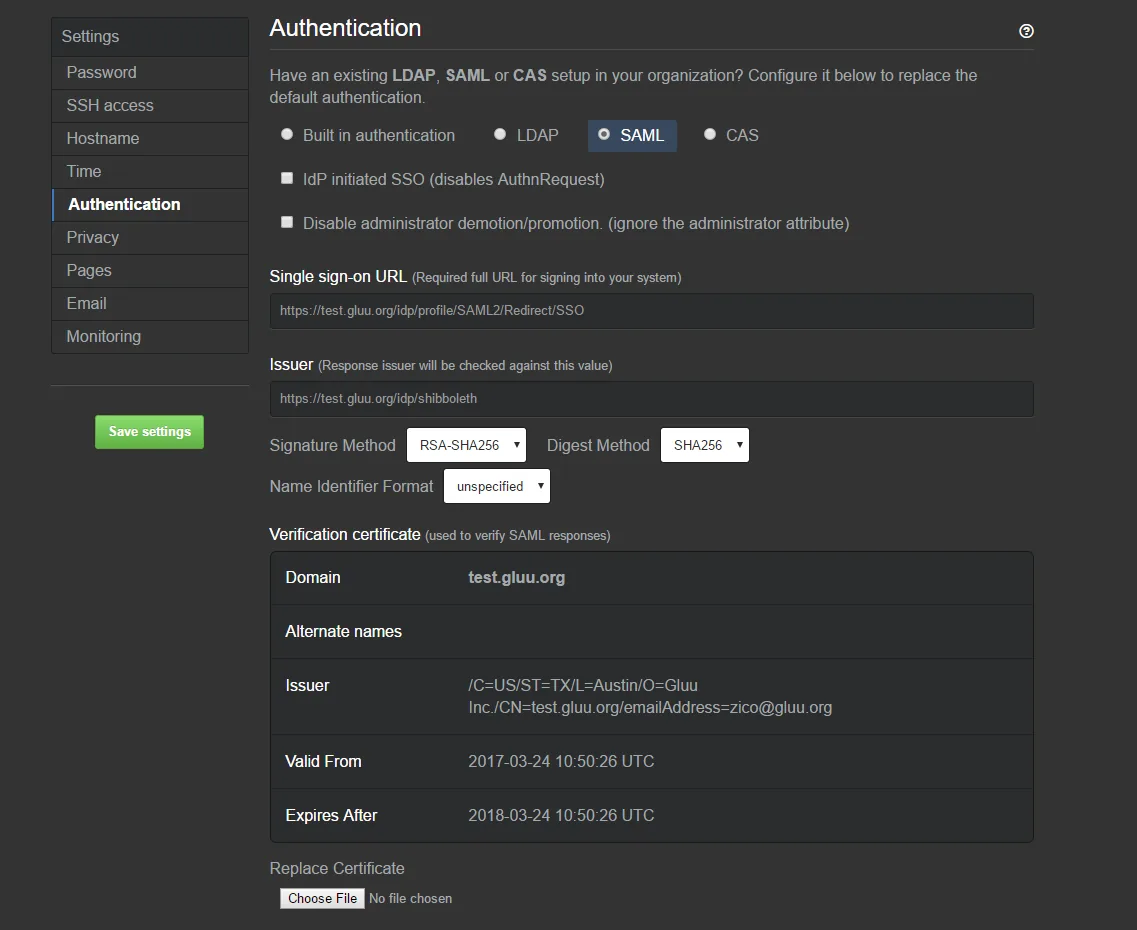
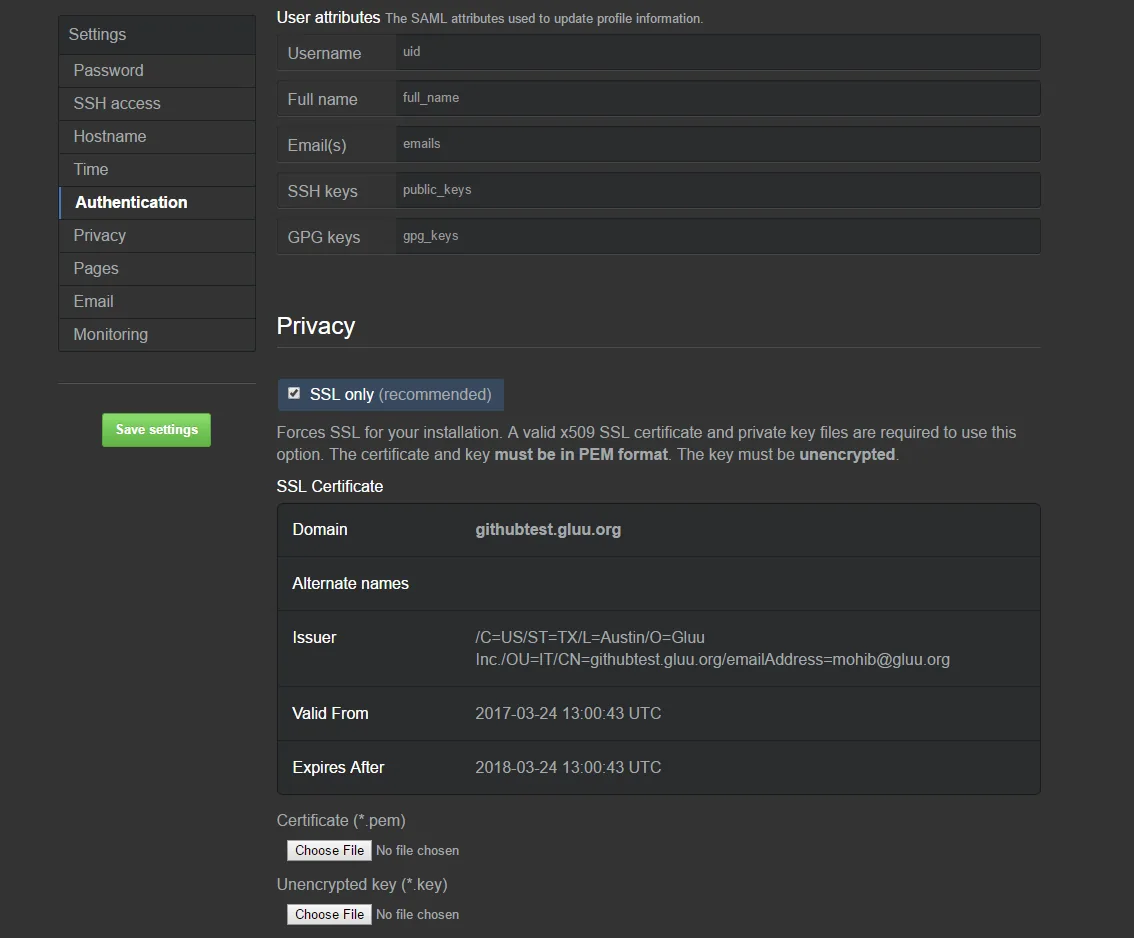
#Test SSO
SSO to Github Enterprise should be ready now. Navigate to the hostname of your Github Enterprise app and you should be logged in. You can watch a sample video of log in and log out here