Duo Security
#Overview
Duo Security is a SaaS authentication provider. This document will explain how to use Gluu's Duo interception script to configure the Gluu Server for a two-step authentication process with username and password as the first step, and Duo as the second step.
In order to use this authentication mechanism your organization will need a Duo account and users will need to download the Duo mobile app.
#Prerequisites
- A Gluu Server (installation instructions);
- Duo interception script (included in the default Gluu Server distribution);
- An account with Duo Security.
#Properties
There are a few properties in the Duo Security authentication script:
| Property | Status | Description | Example |
|---|---|---|---|
| duo_creds_file | Mandatory | Path to ikey, skey, akey | /etc/certs/duo_creds.json |
| duo_host | Mandatory | URL of the Duo API Server | api-random.duosecurity.com |
| audit_attribute | Optional | Attribute to determine user group | memberOf |
| duo_group | Optional | Attribute to enable Duo for specific user | memberOf |
| audit_group | Optional | Notify administrator via email upon user login | memberOf |
| audit_group_email | Optional | Administrator email | admin@organization.com |
#Configure Duo Account
Sign up for a Duo account.
Log in to the Duo Admin Panel and navigate to Applications.
Click Protect an Application and locate Web SDK in the applications list. Click Protect this Application to get your integration key, secret key, and API hostname.
Generate an
akeyvalue for your instance. Learn more.
For additional info on Duo's Web SDK, check this article.
#Configure CE Chroot
- Prepare the Duo credential file
/etc/certs/duo_creds.jsonwith ikey, akey & skey
#Configure oxTrust
Follow the steps below to configure the Duo module in the oxTrust Admin GUI.
Navigate to
Configuration>Person Authentication Scripts.Scroll down to the Duo authentication script
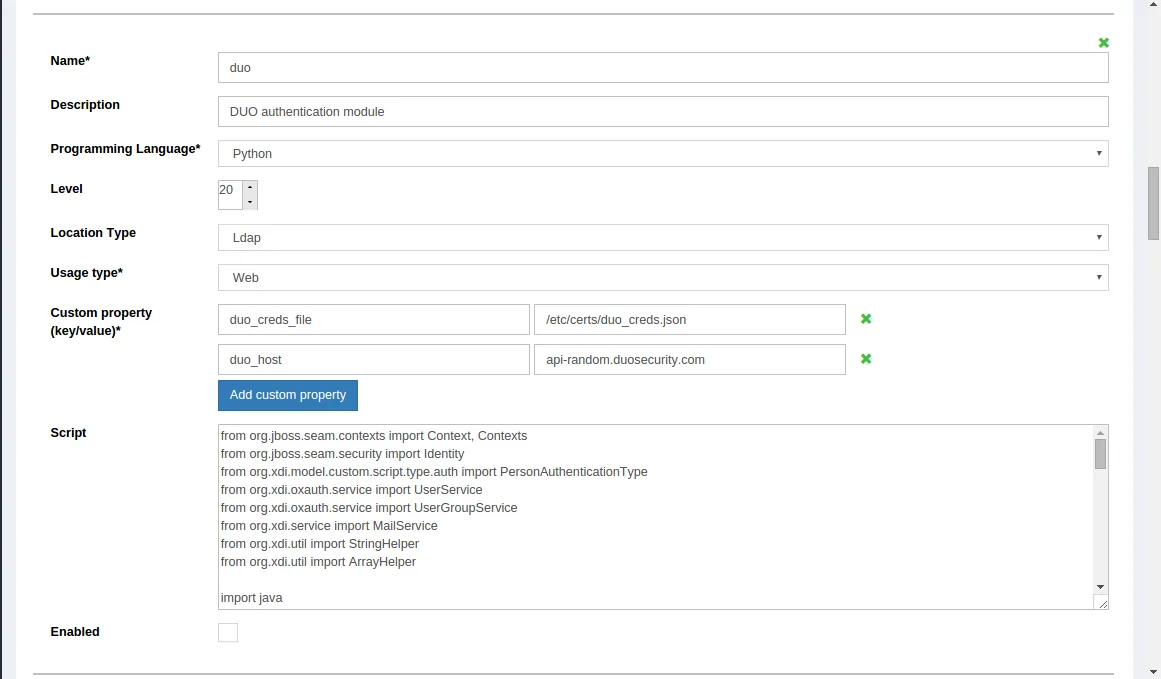
Change the value of
duo_hostto your APIEnable the script by ticking the check box

Now Duo is an available authentication mechanism for your Gluu Server. This means that, using OpenID Connect acr_values, applications can now request Duo authentication for users.
#Make Duo the Default Authentication Mechanism
Now applications can request Duo authentication, but what if you want to make Duo your default authentication mechanism? You can follow these instructions:
Navigate to
Configuration>Manage Authentication.Select the
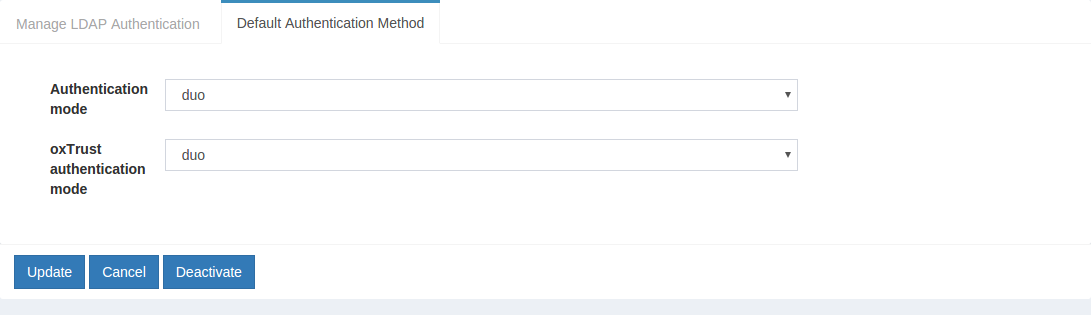
Default Authentication Methodtab.In the Default Authentication Method window you will see two options:
Default acrandoxTrust acr.- The
oxTrust acrfield controls the authentication mechanism that is presented to access the oxTrust dashboard GUI (the application you are in). - The
Default acrfield controls the default authentication mechanism that is presented to users from all applications that leverage your Gluu Server for authentication.
- The
You can change one or both fields to Duo authentication as you see fit. If you want Duo to be the default authentication mechanism for access to oxTrust and all other applications that leverage your Gluu Server, change both fields to Duo.