Webhooks
tags:
- administration
- admin-ui
- webhooks
Gluu Flex Admin UI serves as a powerful web interface designed to streamline the management and configuration of the Janssen Authentication Server. To further extend its capabilities, Gluu Flex Admin UI integrates the use of webhooks, enabling the execution of custom business logic during the creation, update, and deletion of information on the Janssen Authentication Server. The seamless integration of webhooks into this interface enhances its functionality, offering a dynamic and extensible solution.
Webhooks are a mechanism for automating workflows by allowing external systems to be notified of specific events. In the context of Gluu Flex Admin UI, webhooks can be mapped to various Admin UI features to execute custom business logic when events associated with those features occur. Administrators can map one or more webhooks to specific feature events using the user interface.
#Webhook management on the UI
The webhook create/update form consists of the following fields.
| Field | Description | Required |
|---|---|---|
| Webhook Id | The unique identifier of webhook | Yes. Generated by Admin UI |
| Webhook Name | The name give to webhook | Yes |
| URL | The webhook url | Yes |
| HTTP Method | The type HTTP request (e.g. GET, POST, PUT, PATCH, DELETE ) | Yes |
| Description | Webhook description | No |
| Webhook Headers | The HTTP request headers | No |
| Request Body | The HTTP request body | Mandatory for POST, PUT, PATCH requests |
| Enabled | Toggle switch to enable/disable webhook | Yes |
| Admin UI Features | The Admin UI features which can be mapped to the webhook | No |
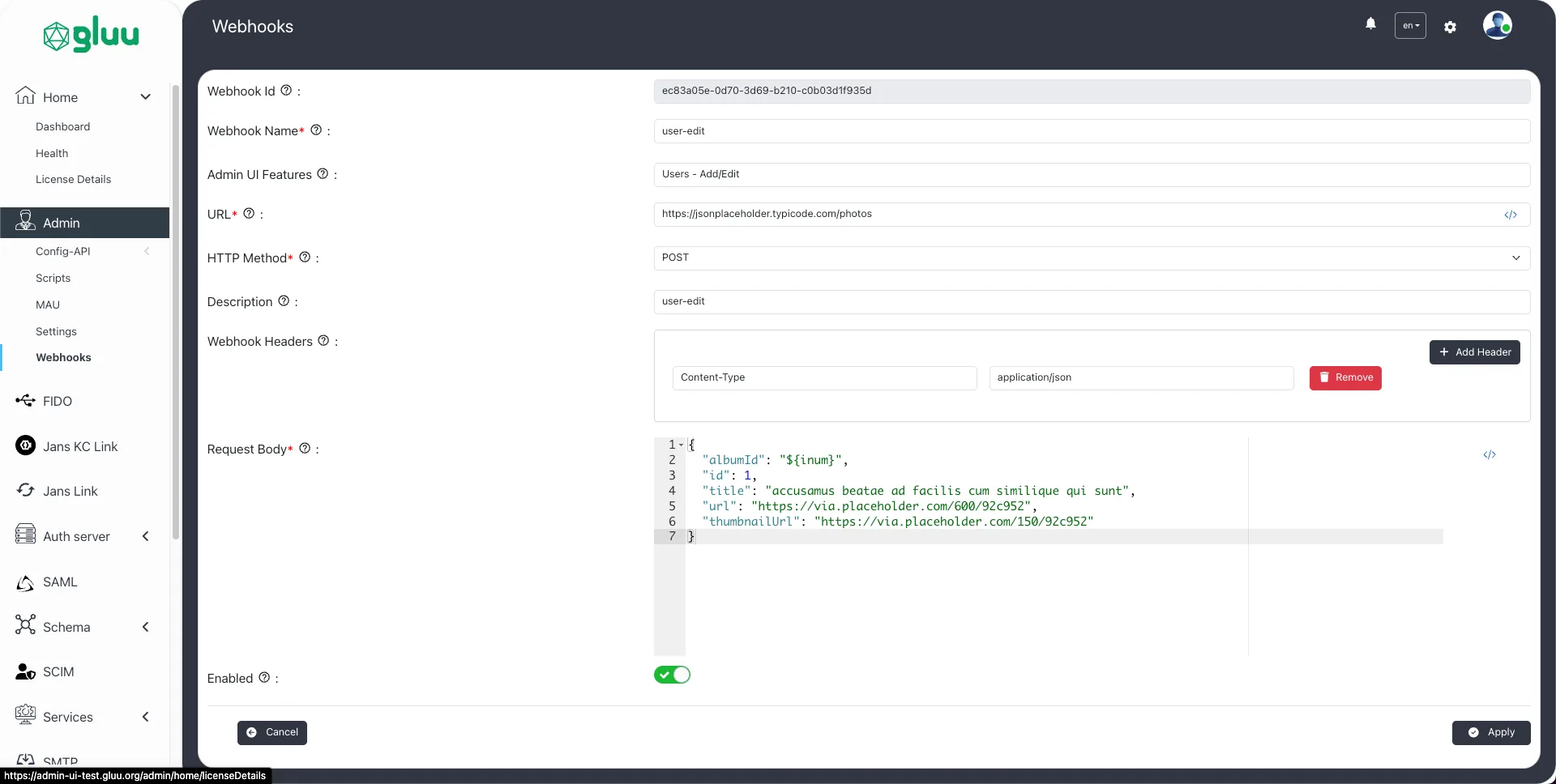
Once a webhook is created it can be searched, edited or deleted.

#Shortcodes
When working with webhooks, shortcodes play a crucial role in dynamically injecting data into URLs and request bodies. They allow for flexible and customizable communication between different systems. Shortcode is denoted by curly braces ${}.
- Using shortcodes in webhook url: Shortcodes can be used in path parameters or query parameters of webhook url.
https://example.com/webhook/${inum}/update
https://example.com/webhook?action=${action}&user_id=${userId}- Using shortcodes in webhook request-body: Webhook request bodies can utilize placeholders to dynamically populate data sent to the recipient system.
{
  "username": "${username}",
  "email": "${email}",
  "password": "${password}"
}
#Triggering webhooks
The webhooks can be mapped with one or more Admin UI feature(s) using the webhook create/update form. The following Admin UI features can be mapped to the webhooks.
| Feature Name | Action | Permission |
|---|---|---|
| Custom Script | Add/Edit | https://jans.io/oauth/config/scripts.write |
| Custom Script | Delete | https://jans.io/oauth/config/scripts.delete |
| FIDO Configuration | Edit | https://jans.io/oauth/jans-auth-server/config/properties.write |
| Jans Link | Edit | https://jans.io/oauth/config/jans-link.write |
| OIDC Clients | Add/Edit | https://jans.io/oauth/config/openid/clients.write |
| OIDC Clients | Delete | https://jans.io/oauth/config/openid/clients.delete |
| Scopes | Add/Edit | https://jans.io/oauth/config/scopes.write |
| Scopes | Delete | https://jans.io/oauth/config/scopes.delete |
| Schema:Person | Add/Edit | https://jans.io/oauth/config/attributes.write |
| Schema:Person | Delete | https://jans.io/oauth/config/attributes.delete |
| SCIM Configuration | Edit | https://jans.io/scim/config.write |
| SMTP Configuration | Edit | https://jans.io/oauth/config/smtp.write |
| Users | Add/Edit | https://jans.io/oauth/config/user.write |
| Users | Delete | https://jans.io/oauth/config/user.delete |
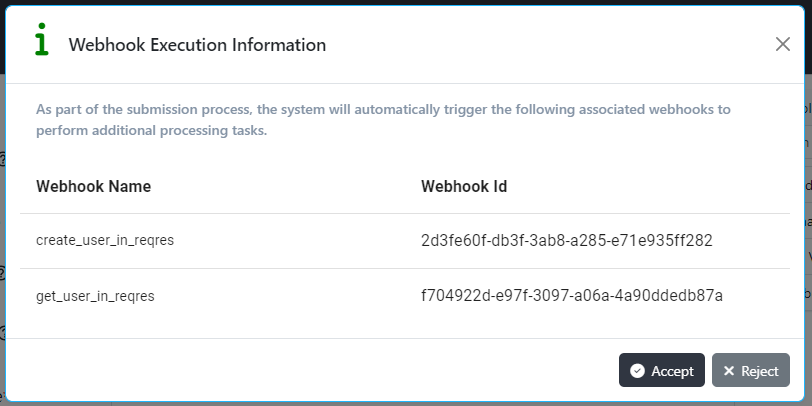
When the feature action is performed (e.g. submitting the "create new user" form), the Admin UI displays the consent dialog with a list of webhooks that will be triggered upon the successful execution of the event. If the user clicks on the Accept button, all the enabled webhooks will be triggered during the event execution. The Admin UI is unable to proceed with event execution if any webhook fails during the process.