
Services
tags:
- administration
- admin-ui
- services
- cache-configuration
This menu allows user to configure Cache Provider which can be used by the auth server.
#Cache Provider Configuration
The following cache providers are supported in Janssen's auth server:
- In Memory : recommended for small deployments only
- Memcached : recommended for single cache server deployment
- Redis : recommended for cluster deployments
- Native Persistence : recommended to avoid installing additional components. All cache entries are saved in persistence layers.
#Cache Provider Properties
The following tables include the name and description of each Cache Provider's properties.
#Cache Configuration
| Name | Description |
|---|---|
| Cache Provider Type | - The cache provider type. Possible values include IN_MEMORY, MEMCACHED, REDIS, NATIVE_PERSISTENCE |
#Memcached Configuration
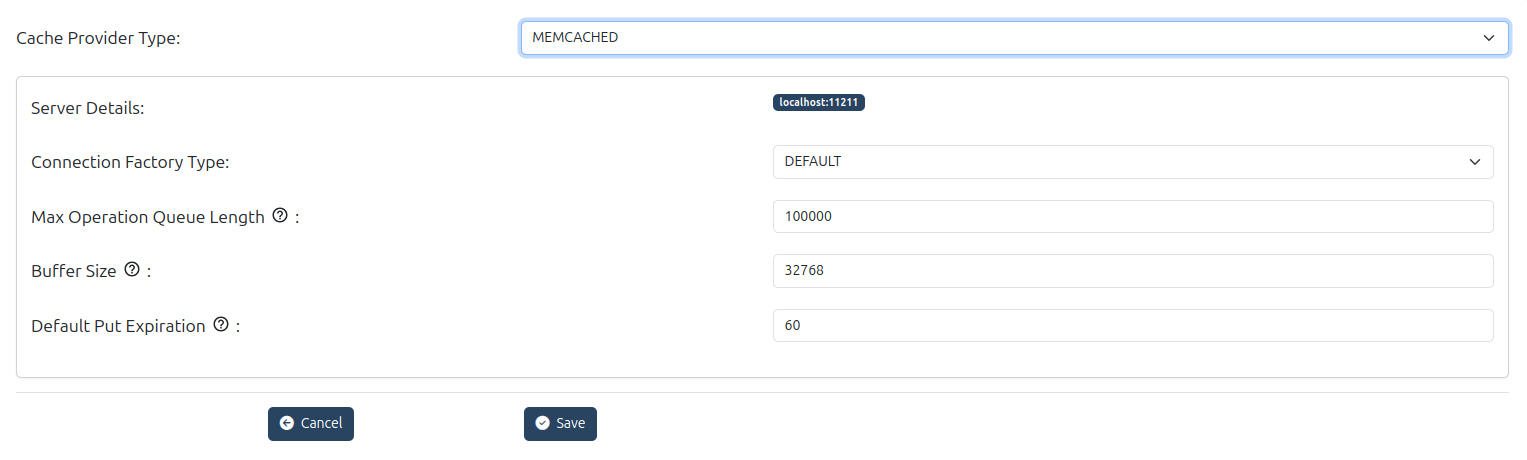
These settings are cache provider specific. Please refer to Memcached documentation to understand how fine tune these parameters for the particular usecase.
| Name | Description |
|---|---|
| Server Details | Server details separated by spaces (for example server1:8080 server2:8081) Use this setting to specify where the Memcached cache backend is running. Use your memcached host(s). |
| Max Operation Queue Length | Maximum number of operations that can be queued to Memcached before they are processed. |
| Buffer Size | Memcached buffer size in bytes. |
| Default Put Expiration | Expiration timeout (in seconds) for entries placed in memcached. |
| Connection Factory Type | Connection factory type. Supported types: Default and Binary |
#In-Memory Configuration
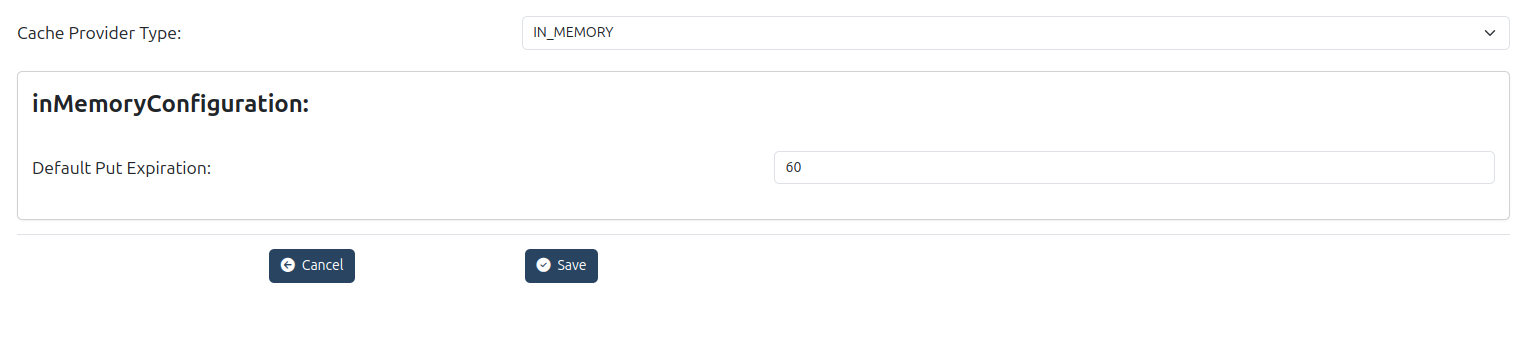
| Name | Description |
|---|---|
| Default Put Expiration | Default expiration timeout value in seconds for cached entries |
#Redis Configuration
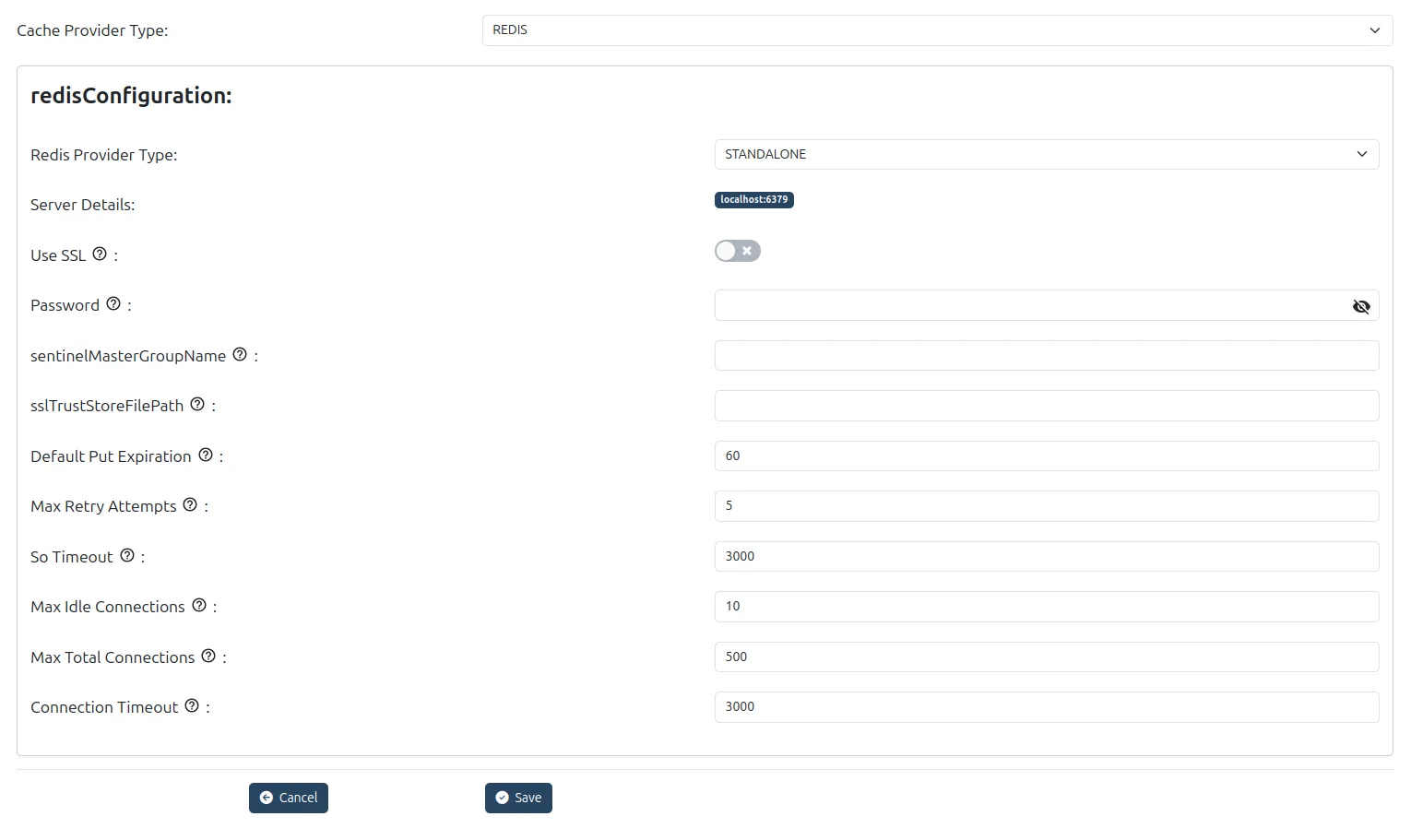
These settings are cache provider specific. Please refer to Redis documentation to understand how fine tune these parameters for the particular usecase.
| Name | Description |
|---|---|
| Redis Provider Type | Type of Redis deployment: e.g. STANDALONE, CLUSTERED, SHARDED, SENTINEL. |
| Server Details | Redis server address(es), comma‑separated (e.g.server1:8080 server2:8081) |
| Use SSL | Enable SSL communication between Gluu Flex Server and Redis cache |
| Password | Redis server password |
| Sentinel Master Group Name | When using sentinel mode, name of the master group. Required for sentinel setups so the client knows which master to use. |
| SSL Trust Store File Path | Path to trust store file when SSL is used. To provide certificate chain/trust anchors to trust the Redis server’s certificate. |
| Default Put Expiration | Default expiration time for objects put into cache (seconds). |
| Max Retry Attempts | Maximum attempts to retry operations in case of failure. |
| So Timeout | With this option set to a non-zero timeout, a read() call on the InputStream associated with this Socket will block for only this amount of time. If the timeout expires, a java.net.SocketTimeoutException is raised, though the Socket is still valid. The option must be enabled prior to entering the blocking operation to have effect. The timeout must be > 0. A timeout of zero is interpreted as an infinite timeout. |
| Max Idle Connections | The cap on the number of "idle" instances in the pool. If maxIdle is set too low on heavily loaded systems it is possible you will see objects being destroyed and almost immediately new objects being created. This is a result of the active threads momentarily returning objects faster than they are requesting them, causing the number of idle objects to rise above maxIdle. The best value for maxIdle for heavily loaded system will vary but the default is a good starting point. |
| Max Total Connections | Max number of connections allowed in the pool |
| Connection Timeout | Timeout for establishing connections to Redis |
#Native Persistence Configuration
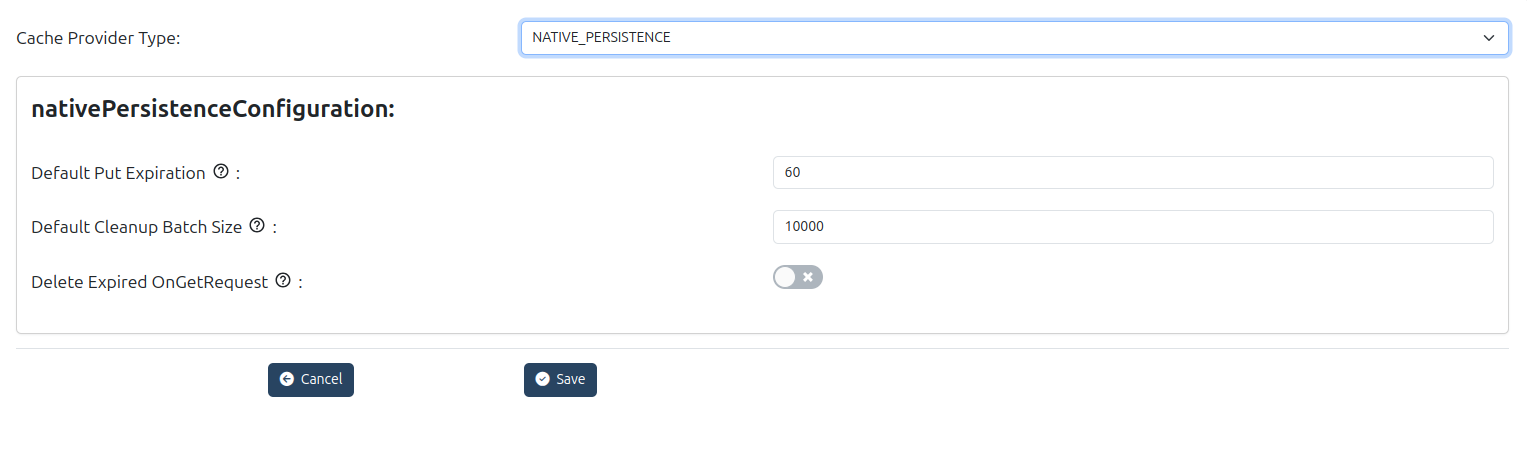
| Name | Description |
|---|---|
| Default Put Expiration | Default expiration time for objects put into cache in seconds |
| Default Cleanup Batch Size | Default number of entries to clean-up in one iteration when removing expired entries. |
| Delete Expired OnGetRequest | Boolean flag: whether to delete expired entries when a GET request is made |
#Persistence
These settings define how the authentication system interacts with the underlying database, including the database type, version, and JDBC driver details.
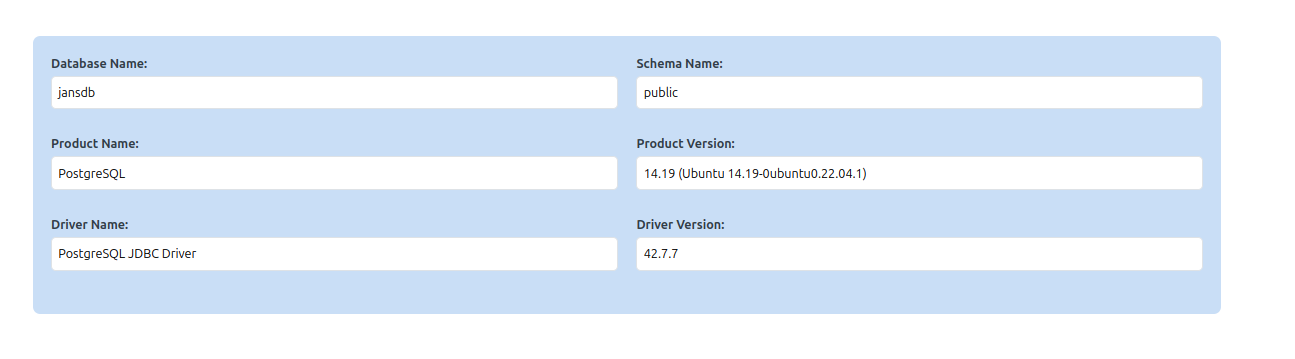
| Field Name | Description |
|---|---|
| Database Name | The current catalog name of the database |
| Schema Name | The current schema name of the database |
| Product Name | The name of the database product |
| Product Version | The version number of the database product |
| Driver Name | The name of the JDBC driver |
| Driver Version | The version number of the JDBC driver |