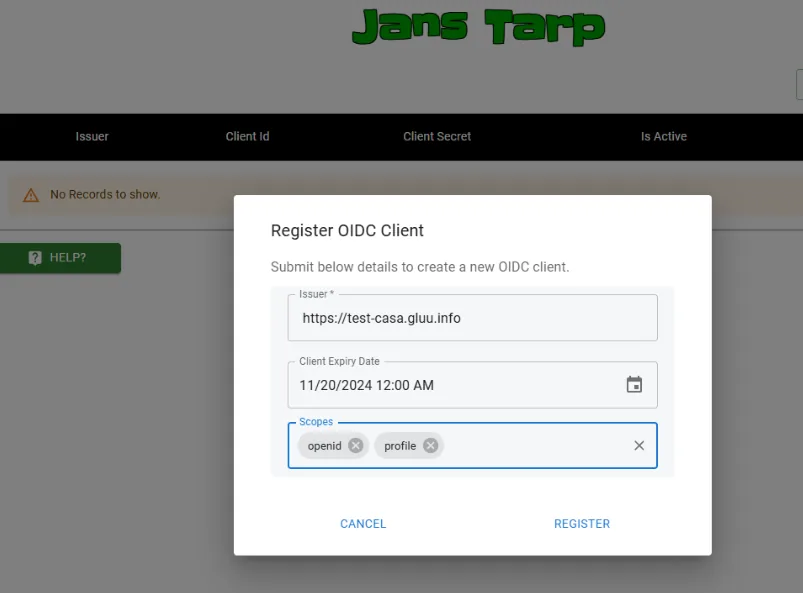
Add required claims to id-token
tags:
- administration
- token
- claims
- Login to the Admin UI of the auth server (https://{auth-server-hostname}/admin).
- Using the left menu, go to
Auth Server ---> Auth server properties. - Add
jansInclClaimsInIdTknto theDynamic Registration Custom Attributesfiled.

#Including the claims to the token
To include the claims to token
Go to
Schema ---> personChange the
Statusof the attribute toActive.Note
oxAuth claim name. This is the claim-name used inside token.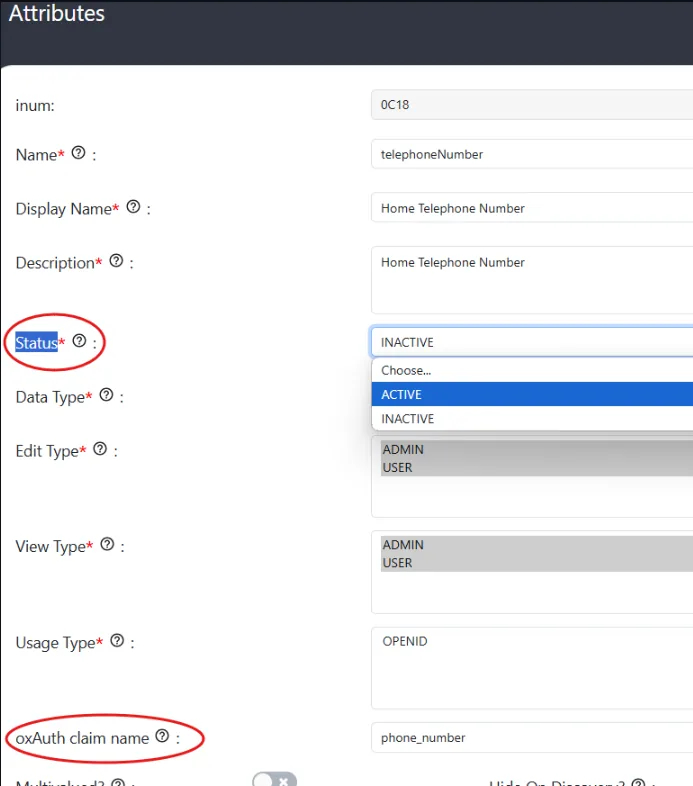
Now go to
Usersmenu and open the user and add the claim and its value.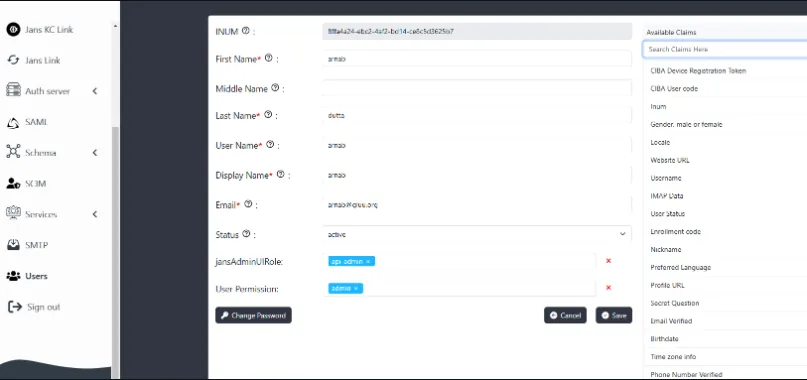
To include the claims in the token we will include them in the profile scope. 1. Enable
profileas theDefault Scope2. Include the claims in the claim field.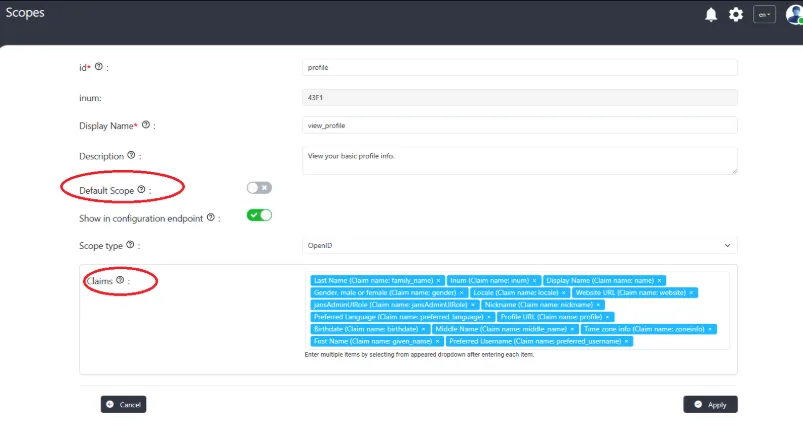
On registering OIDC client using tarp add the
profilescope andopenid.Use the client to generate the token.